TL;DR
I joined Christopherson Business Travel to help transform Andavo from a brittle legacy desktop tool into a modern, cross-platform travel management suite for both travel managers and business travelers.
My role was to bridge the desktop and mobile design efforts by creating a shared design system, translating a marketing-led brand into an accessible, UI-ready language, and aligning designers and engineers around reusable components rather than one-off screens.
By introducing an atomic design-inspired system, shared Figma/Storybook libraries, and new collaboration rituals, we eliminated significant legacy UX and tech debt in about six months, improved design-to-dev throughput by an estimated 40–60%, and gave CBT a modern foundation to compete credibly with newer entrants in the business travel space.
[ROLE]
Senior Product Designer
[TEAM]
UX Director, 3 Product Designers, 3 Senior Engineers, Self
[Service]
Product Design, Design Systems, UI Design
[Year]
2023

Designing a Cross-Platform System for Modern Business Travel
Role: Senior Product Designer (UI Systems & Cross-Platform Experience)
Company: Christopherson Business Travel (Andavo)cbtravel+1
Platforms: Desktop (travel managers), Mobile (business travelers)andavo+2
Focus: Design system, visual language, and collaboration model spanning desktop and mobile
Add a short 2–3 bullet “headline impact” block, for example:
Replaced a failing legacy desktop tool with a modern, cloud-based suite for managers and travelers.cbtravel+1
Established a cross-platform design system powering new Andavo apps on web, iOS, and Android.cbtravel+2
Cut design-to-development build time for key workflows from ~1 week to 2–3 days through component-driven workflows.
1. Context: A Legacy Platform Losing Ground
Christopherson Business Travel had a powerful but aging desktop platform that was becoming a liability. The legacy system suffered from poor information hierarchy, inconsistent hard-coded UI, and growing technical debt tied to an increasingly obsolete tech stack.
At the same time, new competitors were entering the market with cleaner, more modern UX, putting CBT’s long-standing industry reputation at risk. Leadership’s goal for Andavo was to modernize the experience, reduce churn risk, and re-engage customers who were evaluating newer options, without losing the trust built over 60 years in the industry.travelweekly+3
Key challenge: Create a modern, cohesive experience across a new desktop suite and a traveler-focused mobile app that could replace the legacy product and stand up against contemporary travel platforms.cbtravel+2
Visual suggestions:
Legacy vs. new UI comparison (highlight clutter vs. clarity and hierarchy).
Simple diagram showing the old “single legacy app” vs. the new “Andavo suite” (travel manager + traveler app).
2. Role: Bridging Products Through a Shared System
I joined a small design team with three distinct focus areas: a UX director, a designer modernizing the desktop manager experience, and a senior designer focused on the traveler mobile app. My role was to bridge these efforts by creating a unified design system and visual language that could work seamlessly across both desktop and mobile.andavo+1
I owned the definition of the core visual language and UI system, while closely partnering with designers, engineers, and the brand/marketing team to ensure feasibility, consistency, and accessibility. I also mentored a junior, mid-level, and senior designer on applying system-driven thinking instead of one-off screen designs.
Principal-level angle: I wasn’t just designing screens; I was designing the underlying UI architecture and collaboration model that allowed multiple teams to ship a cohesive product suite.
Visual suggestions:
Team/role map showing who owned what and where you sat as the “bridge.”
Screenshot of a shared Figma library showing multiple files/products consuming the same system.
3. Approach: Atomic Design and Cross-Platform Foundations
3.1 Translating Brand into Usable Product UI
Marketing had already established Andavo’s brand direction, but the system was optimized for campaigns and large display moments rather than dense, everyday UI. My job was to translate that into a practical, accessible interface language.[andavo]
Key moves:
Refined the gray palette and defined primary, secondary, and tertiary color roles for interaction states, error/success, and emphasis.
Established rules for corner radii, spacing, and white space to create a calmer, more modern visual rhythm suited for complex enterprise workflows.
Identified that the brand’s chosen display typeface broke down at small sizes and replaced it with a UI-optimized typeface with similar character, improving legibility without losing brand feel.
Visual suggestions:
Side-by-side of brand vs. product typefaces with notes on legibility.
Color and spacing tokens shown in both desktop and mobile contexts.
3.2 Building the Design System with Atomic Principles
To keep the desktop and mobile products aligned, I introduced an atomic design-inspired structure. Working with the other designers, we started from the key flows for travel managers and travelers and decomposed them into:[atomicdesign.bradfrost]
Atoms: core tokens and elements (colors, typography, iconography, spacing, basic controls).[atomicdesign.bradfrost]
Molecules: field groups, buttons with labels, input groups, status tags.[atomicdesign.bradfrost]
Organisms: card layouts, itinerary lists, profile panels, navigation sections.[atomicdesign.bradfrost]
Templates: core page/screen layouts for itineraries, approvals, trip management, and profile management.andavo+2
I set up:
A shared core library (foundations, primitives, shared components).
Platform-specific desktop and mobile libraries that extended the core to respect each platform’s interaction patterns.
This gave us a common vocabulary and made it possible to deliver consistent experiences across the travel manager web tools and the traveler apps.cbtravel+2
Visual suggestions:
Diagram of atoms → molecules → organisms → templates → screens using real components.
Figma component board showing core vs. desktop vs. mobile variants.
4. Collaboration: Designers and Engineers as System Partners
When I arrived, designers were handing engineers static prototypes that had to be eyeballed and hard-coded, often leading to drift and rework. I advocated for a new, system-first workflow with engineers as active partners.
4.1 New Rituals and Shared Ownership
To align teams, I introduced:
1:1 working sessions with each product designer to understand their key screens and needed components.
Recurring design system reviews with designers and senior engineers where we reviewed key flows, refined components, and agreed on patterns.
A system changelog to track modifications and communicate updates to both design and engineering.
We standardized on Figma for design and Storybook as the engineering counterpart, ensuring the component library and the live UI stayed in sync. This created a tight feedback loop between what we designed and what was shipped.
4.2 Improving Delivery Efficiency
I pushed for engineers to become fluent in Figma’s developer mode instead of relying on static specs. Once the system and workflow were in place:
Designers could assemble new flows primarily from existing components rather than designing every screen from scratch.
Engineers could pull from Storybook and Figma in tandem, reducing ambiguity and implementation guesswork.
In practice, this shift meant that complex feature flows that previously took about a week to design, hand off, and build could often be turned around in roughly 2–3 days, amounting to an estimated 40–60% improvement in design-to-dev throughput for core screens.
Visual suggestions:
Before/after diagram of the old vs. new workflow (static handoff vs. system-based Figma + Storybook loop).
Screenshot of Storybook mapped to Figma components.
5. Outcome: De-Risking Legacy and Enabling a Modern Platform
Within roughly six months, we shifted the organization away from trying to patch an aging desktop tool and toward building focused, efficient new apps on a modern platform. Instead of continuing to accumulate tech and UX debt, we created a clean baseline: new, well-structured apps supported by a robust design system and a collaborative delivery model.cbtravel+2
This foundation supported Andavo’s ambitions as a modern, fully integrated travel management platform for business travelers and travel managers, including itinerary consolidation, real-time updates, traveler profiles, and integrations via an open API-first architecture. While I didn’t own churn numbers directly, early stakeholder and client reactions pointed to renewed confidence in CBT’s technology and a stronger competitive position relative to newer entrants.cbtravel+5
From a team perspective, the system:
Reduced rework by aligning design and engineering on a shared component language.
Made it easier for new designers and engineers to onboard and contribute without breaking the visual and interaction consistency.
Created a model for involving engineers early—during discovery and system definition—rather than only at the end of the process.
Visual suggestions:
Timeline graphic showing “legacy → system + new apps → ongoing enhancements.”
Short testimonials or quotes from PM/engineering (if you can get them) about velocity or clarity.
6. Reflection: Thinking Like a Principal
This project reinforced a few principles that match how I now approach principal-level work:
Systems over screens: The most durable impact came not from any single UI, but from the system that allowed multiple products and teams to move in sync.
Engineers as co-designers: Treating engineering as a partner from discovery onward reduced rework, surfaced constraints early, and led to better product decisions.
Translating brand into behavior: Strong product UI emerges when marketing’s visual language is carefully adapted for accessibility, density, and interaction—not just reused.
If I revisited this work as a principal today, I would formalize design system governance sooner (clear contribution rules and ownership), align even more directly with product and business metrics (e.g., specific adoption/retention KPIs), and document the system as a product in its own right.
If you’d like, next I can:
Help you tighten this into a shorter “final portfolio” version, or
Draft specific micro-copy for callouts and captions around your visuals (e.g., how to label the typeface swap, efficiency chart, or atomic hierarchy diagram).
[the design problem]
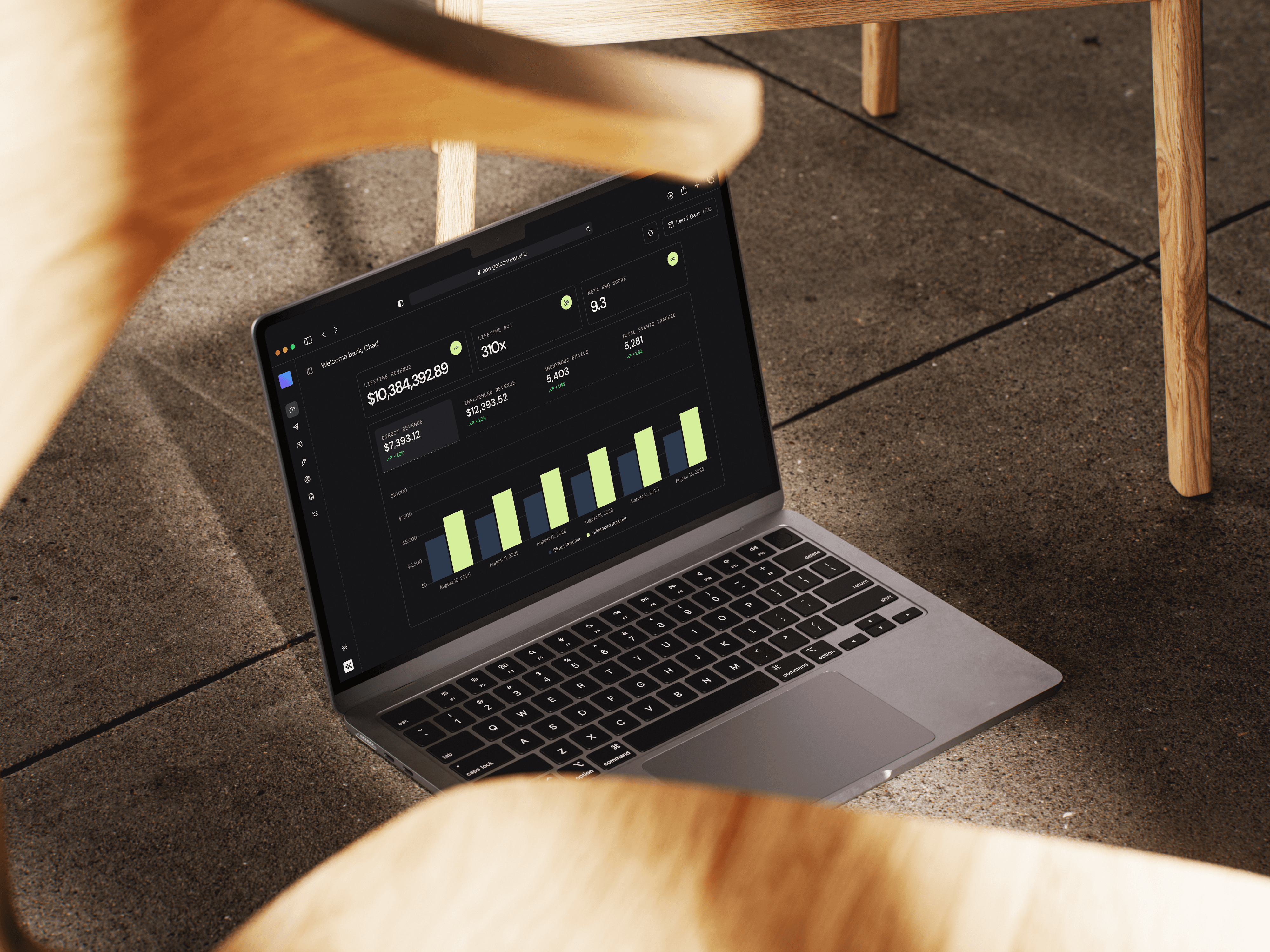
How do you make an invisible data infrastructure feel trustworthy, approachable and simple enough for a non‑technical marketing manager to set up in minutes?
Design Strategy:
“Bulletproof” Simplicity
We weren't just building a tool; we were building a "source of truth." My design philosophy focused on three pillars:
[01]
Radical Transparency
Since the product is about data, the UI had to be rigorously clear. No black boxes.
[02]
Visualizing Value
Users don't care about "API Calls"; they care about "Revenue."
[03]
Trust by Default
The aesthetic needed to feel established and secure, distancing us from vaporware and "growth hacky" tools.
The Process
The "No-Code" Onboarding Flow
Setting up a reverse proxy usually means editing DNS records and touching code—an intimidating task for most merchants.
After mapping the technical requirements, the setup was redesigned as a guided, step-by-step onboarding wizard with all required credentials and access clearly outlined.
However, the original checklist approach proved fragile in testing, as merchants could mark steps “complete” even when tasks like DNS configuration were done incorrectly, creating confusion for the merchant later in setup when they couldn’t identify the error.
To fix this, I designed in a live CNAME check before the DNS step can be completed or the flow can finish. If verification fails, the UI shows clear, human-readable error states, reminders that DNS propagation can take up to 48 hours, and common troubleshooting tips. Additional design details—copy-to-clipboard controls, slide-out help drawers for providers like GoDaddy and Cloudflare, status indicators, and confirmation messages—reduced friction and gave merchants more confidence throughout setup.





Design Strategy:
“Bulletproof” Simplicity
We weren't just building a tool; we were building a "source of truth." My design philosophy focused on three pillars:
[one]
Radical Transparency
Since the product is about data, the UI had to be rigorously clear. No black boxes.
[two]
Visualizing Value
Users don't care about "API Calls"; they care about "Revenue."
[three]
Trust by Default
The aesthetic needed to feel established and secure, distancing us from vaporware and "growth hacky" tools.